FREE MIDI COMPOSER · NO AI · 100% ROYALTY FREE
Write chords fast.
Shape them like a musician.
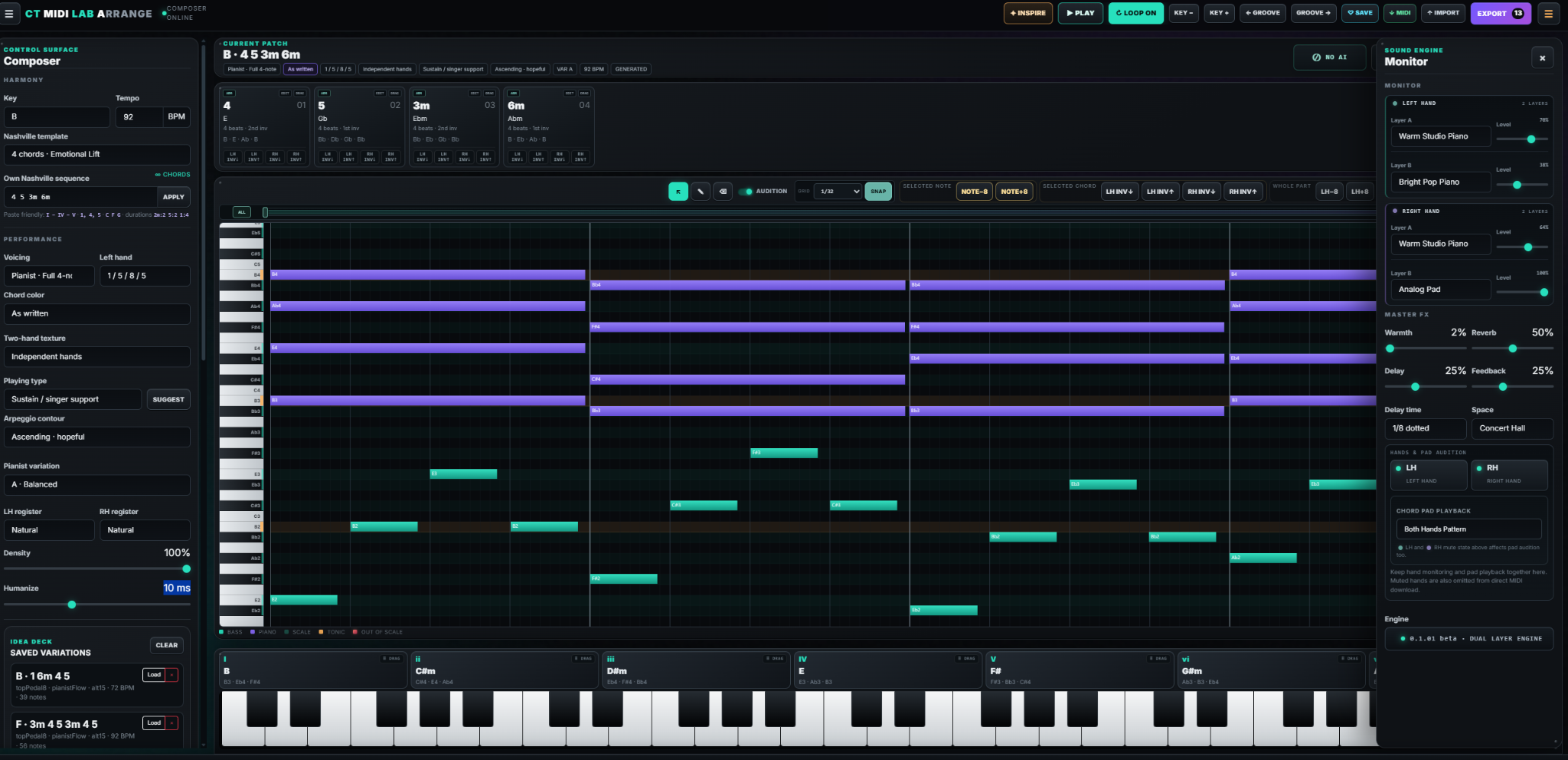
CT MIDI LAB ARRANGE helps you create harmonic ideas that stay musical, then gives you the tools to personalize every detail: transpose instantly, swap playing styles safely, humanize timing and velocity, edit the piano roll and export exactly what your DAW needs.
- Beginner-friendly: stay in key by default
- Musician-deep: edit, delete or add every note
- Rule-based engine: no generative AI, fully transparent
◆ 100% Royalty Free◌ No generative AI♬ MIDI in / MIDI out⌘ Live editable piano roll
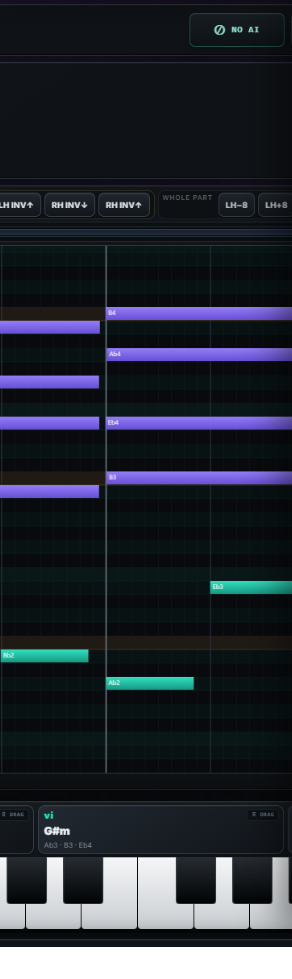
CT MIDI LAB ARRANGE · actual interface
01
Easy to trust when you start. Powerful enough when you go deeper.
You do not have to fear bad harmony choices all the time. The tool keeps you in key, accepts flexible chord input and points out notes that leave the scale.
That is why beginners can get productive quickly — and why more advanced musicians can still push, color and reshape the result without feeling boxed in.
BEGINNER-FRIENDLY
You can compose without constantly second-guessing the harmony.
Diatonic pads, Nashville progressions and Roman numeral input keep your ideas coherent. If you manually drag a note outside the scale, the piano roll flags it visually instead of hiding the mistake.
Stay in keyOut-of-scale highlightFlexible chord input
NON-DESTRUCTIVE VARIATION
Swap the performance without destroying the progression.
Change the playing type, voicing, left-hand approach or contour while the harmonic idea stays intact. This makes comparison fast, musical and safe.
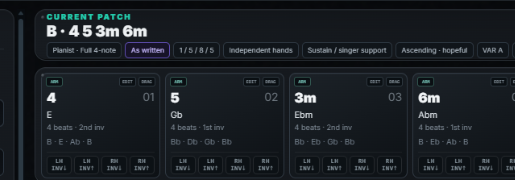
KEY & TEMPO FREEDOM
Transpose any time and adapt the idea to a singer, instrument or mood.
Key and tempo are not late-stage chores here. They are creative controls you can revisit at any moment while the harmony logic remains intact.
12keys
Livetranspose
Looppractice
Fasttempo test
02
The performance layer is where the character appears.
Once the chords make sense, the real fun starts: piano-roll edits, Inspire, Density, pattern swaps, humanization and practice looping turn one safe progression into many usable musical directions.
PIANO ROLL = YOUR SIGNATURE
Give every generated pattern your own flair.
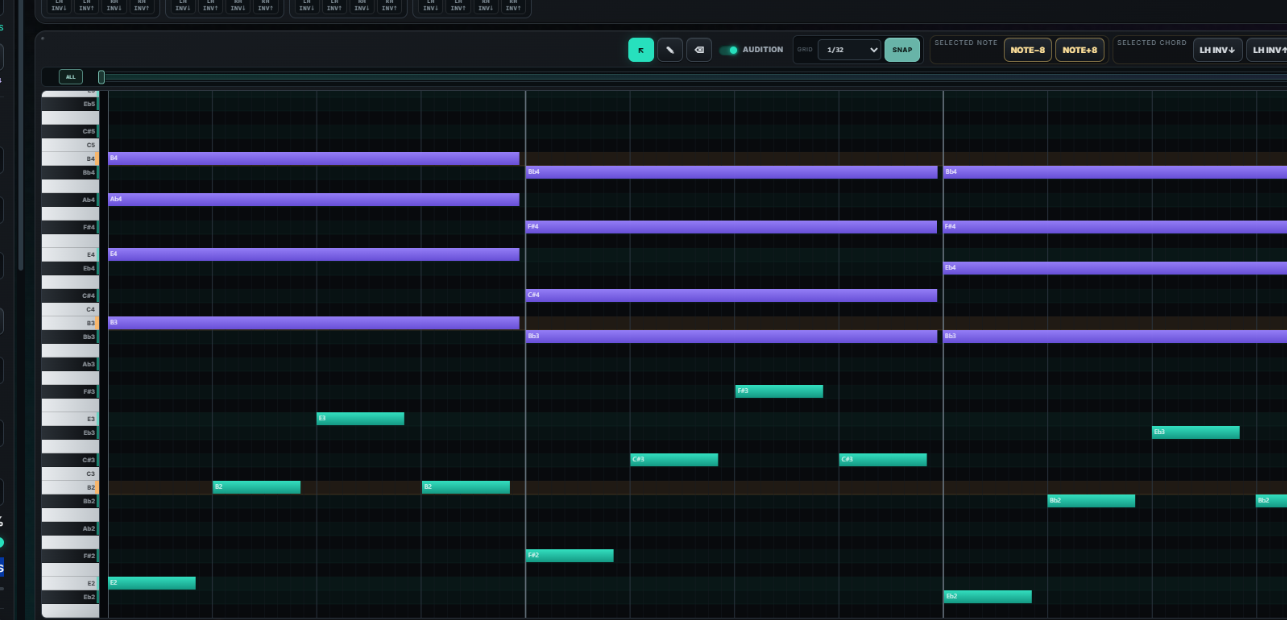
Edit, delete and add notes freely. You can turn an accompaniment into a more personal voicing, hide a melody inside the upper chord tones or write an explicit topline above the harmony.
- Add a melody on top of the harmony
- Embed a melodic top voice inside the chords
- Resize notes, move notes and reshape inversions
- See out-of-scale notes immediately
INSPIRE + DENSITY
Find new ideas without getting nonsense back.
Inspire gives you fresh, musically useful progressions and performance setups. Density can open up inner movement, rhythmic hooks and even melody suggestions in many styles.
Fresh progressionsMore movementBetter melody prompts

HUMANIZE THE FEEL
Microtiming and velocity make the part less robotic.
The built-in humanization helps repeating material breathe. It is subtle enough for clean accompaniment and useful enough to move static ideas closer to real playing.
Microtiming
Velocity
Groove feel
PRACTICE TOOL
Paste chords, set key and tempo, loop it and jam.
CT MIDI LAB ARRANGE is not only a writing tool. It is also a fast rehearsal partner. Copy chords from a song sheet, choose a playing style, loop the section and improvise or practice on top.
Loop rangesQuick transpositionAccompaniment patternsJam-ready workflow
POSSIBILITIES
One harmonic idea.
One harmonic idea.
A lot more ways to move it.
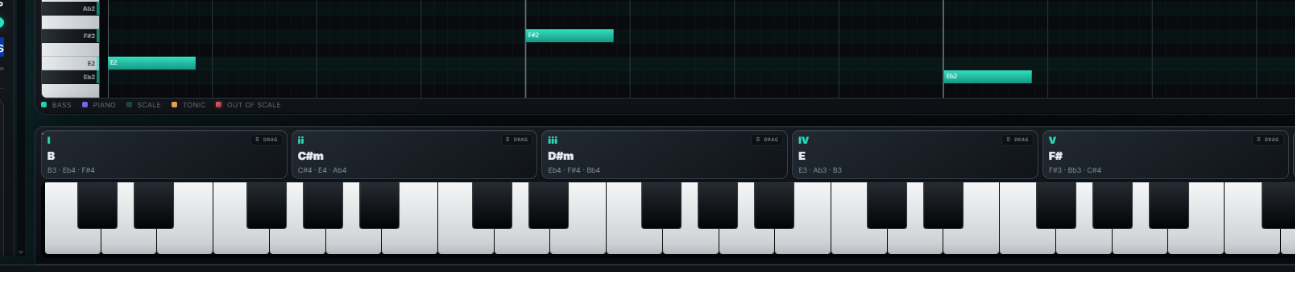
Combine progression length, key, texture, voicing approach, left-hand behavior, playing type, contour and manual piano-roll editing. This is why the tool feels fast for beginners but keeps giving advanced users room to sculpt the result.
3–8chords per progression
RomanI–IV–V input supported
Chord namesC F G · C,F,G · Dm7 G7 Cmaj7
Live editmove notes while playback continues
Cloneduplicate finished chords quickly
Real inversionsmove top or bottom voices, not whole blocks
03
Keep the workflow open. Export only what you need.
The built-in instruments are for previewing the idea — not for locking you into a closed system. Save what works, download everything as a ZIP and move on with your own production setup.
LEFT HAND · RIGHT HAND · FULL ARRANGEMENT
Export accompaniment, melody material or the complete MIDI file.
Mute a hand and export the remaining material separately. That means you can keep bass and accompaniment distinct from upper voicings or melody work inside the DAW.
LH onlyRH onlyFull arrangement
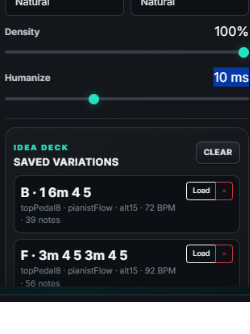
IDEA DECK
Save the good stuff and download all saved ideas as a ZIP.
Keep multiple variations while you experiment. Once you have a few winners, export them together instead of downloading one file after another.
Version compareZIP exportRe-import later
ZIPDownload your saved collection
Archive multiple ideas together and keep your session clean.
04
Paste what musicians already write.
The parser is flexible on purpose. Use Nashville numbers, Roman numerals or regular chord names and get to the useful part faster.
1 4 5I – IV – Vvi IV I VC F GC,F,GAm F C GDm7 G7 Cmaj7100% Royalty Free
Use the MIDI results in your productions without royalty claims coming from the tool.
No AI
The engine is rule-based, explainable and editable. It does not generate with AI.
Accessible by design
Clear contrast, semantic HTML, keyboard-conscious navigation and readable interaction states.
Open MIDI workflow
Import MIDI, reconstruct harmony, reshape the arrangement and continue anywhere else.
FREE TO USE · BETA
Start in key.
Finish with your own feel.
Compose safer, explore more variations, personalize the performance and export only the MIDI you actually need.